
Digital Trust in 2026: How to Tell What is "Real" in a World of AI
We have reached a point where "seeing is believing" is no longer a safe rule to live by. In 2026, Artificial Intelligence (AI) can create a video of a person saying something they never said, or a photo of an event that never actually happened. These are commonly known as Deepfakes.
While these tools are becoming more advanced every day, you do not need a degree in computer science to navigate the internet safely. Staying protected is about developing a "digital instinct"—knowing how to spot the subtle signs that something isn't quite right.
1. Look for the "Environmental" Signs
In the past, you could spot a fake by looking for extra fingers or weird blinking. Today, AI is much better at those small details. Instead of looking at the person, look at the surroundings:
-
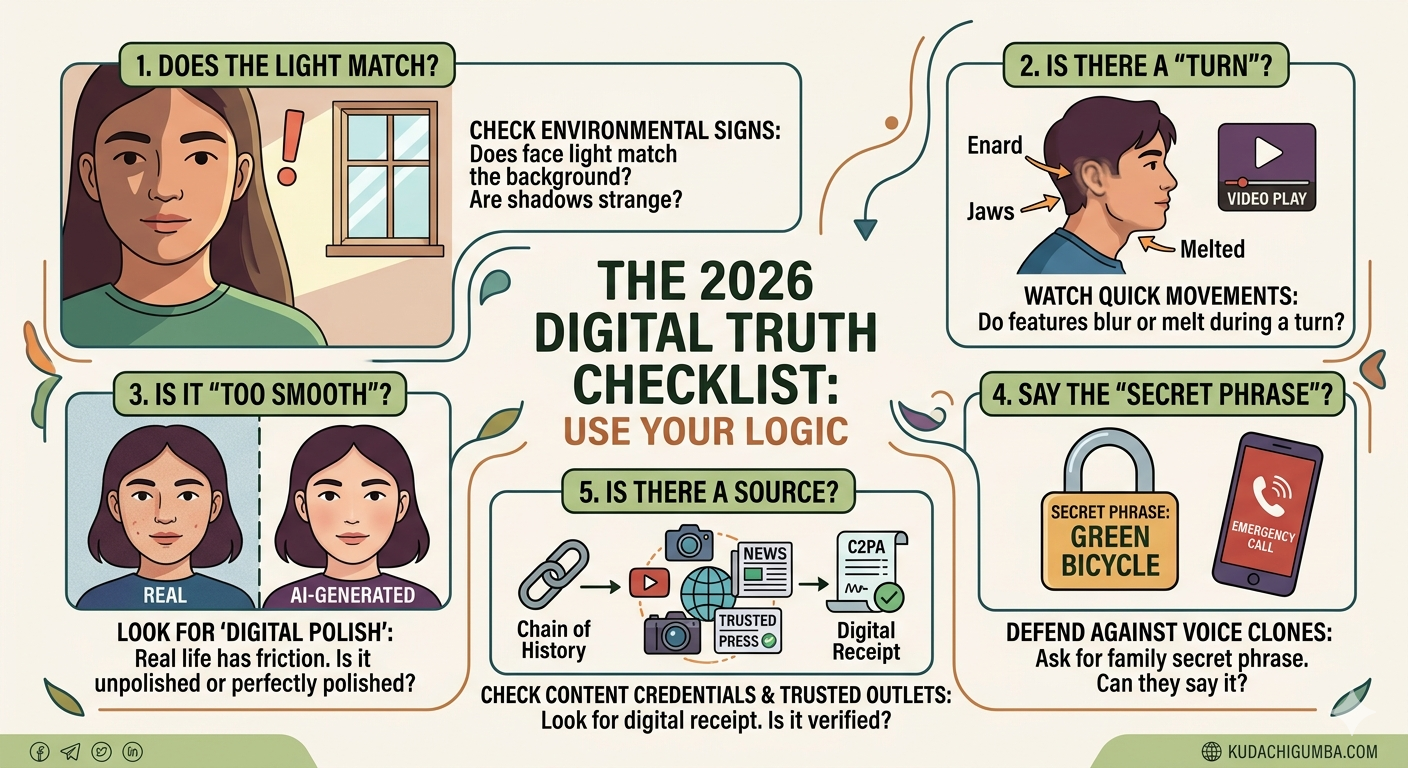
Lighting Inconsistency: Does the light on the person’s face match the light in the background? AI often struggles to make the shadows "behave" naturally across the entire scene.
-
The "Turn" Test: In fake videos, the AI sometimes loses track when a person moves quickly. Watch the ears or the jawline if someone turns their head to the side—these areas might look "blurry" or "melted" for a split second.
-
The "Too Perfect" Look: Real life has "friction"—messy hair, uneven skin, and natural lighting. If a video looks "too smooth" or perfectly polished, it is a major warning sign.
2. Checking the "Digital Receipt"
Just as a high-quality banknote has a watermark to prove it is genuine, many digital photos in 2026 now come with Content Credentials.
Think of this as a "Digital Receipt" that follows an image everywhere.
-
How to use it: Many websites and social media apps now show a small icon (often a "CR" symbol) on images. Clicking this will show you the "Chain of History"—proving if a human took the photo with a real camera or if it was generated by a computer.
-
The Rule: If a shocking news photo has no "receipt" or clear source, treat it as a rumor until it is verified by a trusted news outlet.
3. The "Family Secret" Defense
One of the most common scams today involves Voice Cloning. A scammer can take a 10-second clip of your voice from a social media post and use AI to call your relatives, pretending you are in an emergency and need money immediately.
Because the voice sounds exactly like yours, it is very easy for a parent or grandparent to be tricked.
-
The Strategy: Every family should have a "Secret Phrase." It should be something random (like "Green Bicycle" or "Purple Teapot") that is never shared online.
-
The Test: If you receive a panicked call from a loved one, stay calm and ask for the secret phrase. If they cannot provide it, it is a scam—no matter how much it sounds like them.
4. Why Verification Matters More Than Ever
In 2026, the goal of fake news isn't just to make you believe a lie; it’s to make you stop believing anything at all. This is why we must move from "Trust" to "Verification."
Before you hit the "Share" button on WhatsApp or Facebook:
-
Pause: Does this story seem designed to make me angry or scared?
-
Search: Is this being reported by major, reliable news organizations?
-
Check the Date: Sometimes real videos from five years ago are reshared as if they are happening today.
Final Thoughts
Technology belongs to all of us, and it is a powerful tool for good. However, as the digital world moves faster, we must all become a little sharper. You don't need to be an expert to stay safe; you just need to stay curious and always look for the "why" behind what you see.
The 2026 Digital Truth Checklist: Use Your Logic
Before you trust or share any sensational image, video, or message, ask these five simple questions:
| Step | What to Ask Yourself | What to Look For |
| 1. | Does the Light Match? | Is the person’s face lit differently than the background? Are shadows falling in strange directions? |
| 2. | Is There a "Turn"? | If a person in a video turns their head quickly, do their ears, glasses, or jawline look "melted" or blurry for a second? |
| 3. | Is It "Too Smooth"? | Real life is messy. Real photos have grain, imperfections, and unpolished details. Does this look like an advertisement? |
| 4. | Can they Say the "Secret Phrase"? | If a loved one calls in an emergency, ask for your pre-set family "Secret Phrase." If they can’t give it, it’s a voice clone scam. |
| 5. | Is There a Source? | Does the image have its "Digital Receipt" (Content Credentials icon)? Is a trusted news outlet also reporting this story? |